

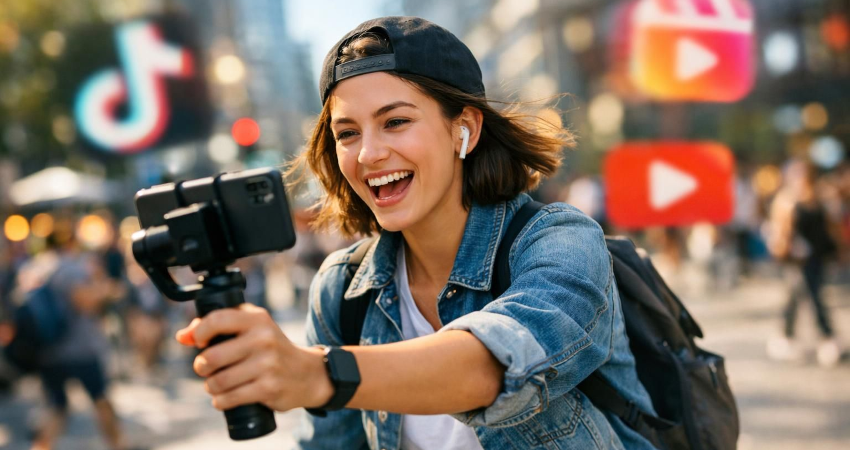
Short videos now dominate social networks. TikTok, Instagram Reels, YouTube Shorts, Facebook Reels and even short formats built into professional platforms have completely transformed how content is created and consumed. In a few seconds, a video can grab attention, generate views, showcase a product, explain an idea, show a tutorial, or start a trend.
With the arrival of artificial intelligence in video-creation tools, this trend is accelerating. Creators can now automatically trim long videos, generate subtitles, rephrase a hook, add a voiceover, convert landscape to vertical format, improve audio, or produce multiple variants of the same video.
But this new way of creating raises a real question: how can you back up your own content and reuse it across multiple platforms without losing quality, without disrupting your file organization, and without violating copyright?
This is a crucial topic for creators, brands, influencers, freelancers, community managers, trainers and anyone who regularly publishes videos online.
Why have short videos become essential?
Short videos are effective because they match current usage. Users watch content quickly, often on mobile, between activities. A 15-, 30- or 60-second video can be consumed effortlessly, shared easily, and understood instantly.
For a creator, short-form content offers several advantages. It lets you test an idea quickly, publish more often, recycle clips from long videos, and reach a wider audience. A ten-minute tutorial can become five Shorts. An interview can produce multiple Reels. A YouTube video can be cut into TikTok clips. A live stream can generate several ready-to-publish segments.
That's why many creators no longer think in terms of a single video, but in terms of a content system. One main idea can be transformed into multiple formats: long-form video, Short, Reel, TikTok, story, text post, carousel and newsletter.
AI makes this strategy even simpler, but it doesn't replace good organization.
How AI is changing video creation
Artificial intelligence saves time at almost every step of the creation process. Before, you had to watch a long video, manually pick the best clips, trim the footage, write subtitles, craft a hook, adjust the format, then export a version for each platform.
Today, many tools can help spot highlights, generate subtitles, suggest titles, create variants, clean up audio, or convert a horizontal video to a vertical format. For creators who publish frequently, it’s a huge time saver.
AI can also help adapt content to each platform. A TikTok video doesn't always have the same pace as a YouTube Short. An Instagram Reel may require a more polished aesthetic. A LinkedIn video sometimes needs to be more professional. AI can suggest different angles depending on the target audience.
But beware: AI should not encourage publishing just anything. Content must remain coherent, useful, original and compliant with copyright. A video generated or altered with AI should always be checked before publishing.
Why save your own Shorts, Reels, and TikToks?
Many creators publish directly from their smartphone, then forget to save the final file. It’s a common mistake. Once the video is published it can be compressed, altered by the platform, accidentally deleted or hard to recover in good quality.
Backing up your videos lets you keep a clean archive of your work. It also makes it possible to reuse content later, create a compilation, republish an improved version, prove you are indeed the author of a video, or recover a file in case of an account problem.
An account can be hacked, suspended, blocked, or lost. A platform can change its rules. A video can be removed because it contains music, a clip, or flagged content. Without a backup, the creator loses part of their work.
For a brand or a professional, short videos are digital assets. They represent time, ideas, filming, editing, and sometimes a budget. They should therefore be kept and managed properly.
The issue of video quality after publication
When a video is posted to TikTok, Instagram, or YouTube, it is usually compressed. The platform reduces the file size to make streaming easier. This can reduce image quality, audio quality, or fine details, especially if the video is reuploaded afterward.
That’s why it’s better to keep the original file exported from your editing tool. The version published on a platform should be considered a distribution copy, not your main archive.
To avoid quality loss, always keep:
- the source video;
- the editing project;
- the final high-quality version;
- the published vertical version;
- the version without music if necessary;
- the version with subtitles;
- the thumbnail or cover image.
This method lets you republish or edit your content without starting from a compressed version.
Can the same video be reused on TikTok, Reels, and Shorts?
Yes, but it needs to be done smartly. Posting exactly the same video everywhere can work, but it's not always optimal. Each platform has its own conventions, audience, and algorithm.
TikTok often favors spontaneous, fast, highly dynamic content that taps into trends. Instagram Reels may reward aesthetics, consistency, and inspiring or educational content. YouTube Shorts can be very useful for repurposing an existing YouTube audience or directing viewers to longer videos.
The right strategy is to start with a main video, then create several variants:
- a more direct TikTok version;
- a visually cleaner Reels version;
- a Shorts version with a clear hook ;
- a watermark-free version;
- a version with readable subtitles ;
- a version adapted to another language if necessary.
You should also avoid downloading a video from a platform with its logo and then reposting it elsewhere. That can look unprofessional and reduce visual quality.
How to create a reusable video from the start?
To reuse a video easily, you need to think about it before you even publish. Ideally, create a clean version, without a watermark, in a format compatible with multiple platforms.
The vertical 9:16 format is now the most used for short videos. A resolution such as 1080 x 1920 pixels remains a good standard for most uses. You should also leave a safety margin to prevent text from being hidden by interface buttons, descriptions, or navigation elements.
Subtitles should be large enough and well placed. Text shouldn't be too low, as it can be hidden on some apps. The hook should appear quickly, ideally within the first few seconds.
Before exporting, check:
- vertical format;
- image sharpness;
- the audio level;
- subtitle readability;
- no unnecessary logo;
- the consistency of the title;
- the appropriate duration;
- respect for music rights;
- la présence d’une version propre sans watermark.
A good reusable video is designed as a master file.
The role of subtitles in short videos
Subtitles have become almost indispensable. Many users watch videos without sound — on public transport, at work, in public, or in the evening. Without subtitles, a video can be ignored even if its content is interesting.
AI makes creating automatic subtitles much easier. But they always need to be proofread. Transcription errors can change the meaning of a sentence, cause an embarrassing mistake, or make the message look less professional.
Subtitles should be short, readable and well synchronized. Avoid overly long blocks. Prefer simple sentences. Use a comfortable size. Maintain sufficient contrast between the text and the background.
For a multi-platform strategy, it can be useful to keep two versions:
- a video with embedded subtitles;
- a video without subtitles, to add subtitles directly in each app.
This flexibility makes it possible to adapt to platforms’ native tools.
Be careful with music and copyright
This is one of the most important points. A track available in one app isn't necessarily usable everywhere. A track allowed on TikTok may not be allowed on Instagram, YouTube, or a website. Commercial music may be tolerated in one context but blocked in another.
If you use a video for your brand, business or an advertisement, be even more careful. Music rights can depend on whether the use is personal, commercial, advertising or professional.
To avoid problems, prioritize:
- royalty-free music;
- the platforms' official libraries;
- sounds permitted for the intended use;
- Licenses clearly retained;
- original creations;
- Personal voice-overs.
If you want to reuse a video across multiple platforms, keep a version without music. You can then add different music depending on the platform.
Use All Downloader responsibly
All Downloader It can be useful for saving videos in a personal, legal and responsible context. The goal is to help users retrieve their own content, keep a working copy, or archive videos they have the right to save.
But a downloading tool doesn't automatically give you the right to republish someone else's content. A video belongs to its creator or rights holders. Even if it's public, it may be protected by copyright.
Before downloading or reusing a video, ask yourself three simple questions:
- Am I the author of this video?
- Do I have permission to save or reuse it?
- Am I complying with the platform's rules and copyright law?
If the answer is no, it's better not to reuse the content. Best practice is to use All Downloader for your own videos, personal archives, authorized content, or royalty-free files.
How to organize your short videos?
The more you publish, the more important organization becomes. An active creator can produce dozens or hundreds of videos per month. Without proper organization, it becomes impossible to find a file, a version, or a project.
Create a simple structure:
Year
Month
Platform
Project
Sources
Exports
Thumbnails
Subtitles
Published versions
Example:
2026 / 07-July / TikTok / Video editing tutorial
2026 / 07-July / Instagram Reels / Video editing tutorial
2026 / 07-July / YouTube Shorts / Video editing tutorial
You can also use a clear file name:
2026-07-12-tiktok-tutoriel-montage-video-v1.mp4
2026-07-12-reels-tutoriel-montage-video-sous-titres.mp4
2026-07-12-shorts-tutoriel-montage-video-clean.mp4
A good filename should make the content, date, platform and version immediately clear.
The master file method
The best strategy is to create a master file. It's the clean, high-quality version, without a watermark, without excessive compression, and ready to be adapted.
From this master file, you can create:
- a TikTok version ;
- an Instagram Reels version;
- a YouTube Shorts version;
- a Facebook Reels version;
- a version with subtitles;
- a version without subtitles;
- a version with music;
- a version without music;
- a short version;
- a longer version.
This method avoids downloading an already compressed video just to modify it again. Each export starts from a clean source, which limits quality loss.
Cloud backup, external drive, or NAS?
To protect your content, don't keep everything on a single device. A smartphone can fail. A computer can be stolen. An external drive can break. A cloud account can be blocked.
The best solution is to use multiple storage options. The cloud is convenient for accessing videos from multiple devices. An external hard drive or SSD is useful for storing large files. A NAS can suit advanced creators or small teams who want to centralize their archives.
A good approach is to keep:
- a copy on your computer;
- a copy on an external drive;
- a copy in the cloud or on a NAS.
This organization may seem excessive, but it protects your work.
How to avoid watermarks?
A watermark is the visible logo of a platform on a video downloaded or exported from the app. For professional publishing, it's better to avoid reposting a video with another platform's logo.
The best solution is simple: export your video from your editing software before publishing. This clean version should be your master file. Then publish it separately on TikTok, Instagram, YouTube Shorts or Facebook Reels.
If you create directly in an app, save a watermark-free version when that option is available. Otherwise, it's better to create the edit in an external tool and then publish the final video on each platform.
Mistakes to avoid
The first mistake is keeping only the published version. It’s often the most heavily compressed one.
The second mistake is downloading a video from TikTok with a watermark, then reposting it on Reels or Shorts. The result can look less professional.
The third mistake is using music without checking the rights. A video can be blocked, cut, or demonetized.
The fourth mistake is not saving editing projects. Without a project file, you have to redo everything if you need to make changes.
The fifth mistake is mixing all videos into a single folder. In the long run, this becomes unmanageable.
The sixth mistake is trusting only your smartphone. A phone alone is not a reliable archive.
How can AI help repurpose your old videos?
AI can analyze old videos and spot interesting segments. This lets you turn a long video into multiple short clips. A 30-minute interview can become ten clips. A full tutorial can produce several capsules. A presentation video can be split into multiple posts.
AI can also suggest titles, reword hooks, generate subtitles, translate content, or adapt the tone to each platform.
But the creator must remain in control. Cuts, sentence meaning, subtitle quality and overall coherence need to be checked. AI is an assistant, not a replacement for human judgment.
What strategy for publishing across multiple platforms?
To publish effectively, start by creating a clean, neutral video. Then adapt it slightly for each platform.
For TikTok, go for a very quick hook, a dynamic pace and a direct approach.
For Instagram Reels, focus more on visuals, readability, aesthetics, and consistency with your profile.
For YouTube Shorts, think of a clear title, a focused idea, and a possible link to your other YouTube content.
For Facebook Reels, adjust the tone for an audience that can sometimes be different—often broader and more family-oriented depending on the topic.
The same idea can be published everywhere, but the presentation should be tailored.
Conclusion
Video AI, Shorts, Reels and TikTok have changed how content is created. Today a single idea can become multiple videos, multiple formats and multiple posts. It’s a huge opportunity for creators, brands and professionals.
But to take advantage of this opportunity, you need to back up your content properly. Keeping original files, creating a master file, avoiding watermarks, respecting copyright, organizing your folders and using multiple backup media are essential habits.
All Downloader can support this responsible saving approach, provided you use it for your own content, authorized content, or legitimate personal use. Downloading a video does not mean you own the rights to republish it.
The real secret of an effective creator isn't just publishing a lot. It's creating, saving, organizing and intelligently reusing content without losing quality.
FAQ
Can you save your own TikTok, Reels, or Shorts videos?
Yes, it's recommended to back up your own videos, especially the original versions and high-quality exports. This helps keep a clean archive and reuse the content later.
Why avoid reposting a video with a watermark?
A watermark can make a video look less professional and reveal that it came from another platform. It's better to keep a clean, logo-free version before publishing.
Can AI turn a long video into Shorts?
Yes, many AI tools can help identify the best segments, generate subtitles, and adapt a long video into a short format. However, you should verify the result manually.
Can you use the same music on TikTok, Reels, and Shorts?
Not always. Music rights can vary by platform and by use. To avoid problems, keep a music-free version and use licensed libraries.
Can All Downloader be used to save your own content?
Yes, within a responsible framework. It should be used to back up your own videos, authorized content, or royalty-free files, while respecting platform rules and copyright.