

There’s nothing more frustrating than copying a link, starting a download, and then seeing nothing happen. In some cases the video appears to be detected but no useful options are shown. In others, the download begins and then stalls. And sometimes the link looks fine but the file never gets saved. When that happens, many users immediately assume the tool is broken. The reality is often simpler: a video can fail to download for a number of technical or practical reasons, and most of these can be identified and fixed quickly.
This article aims to explain the most common causes and the most effective solutions. It is intended for anyone who wants to understand why a download fails and how to resolve the problem with All Downloader.
An incomplete or incorrect link
The primary cause, by far the most common, is a poorly copied link. Many users copy a shortened URL, an incomplete share link, or an address that does not lead directly to the video. In that case, the tool may detect nothing or display an error.
Before trying anything, make sure the link opens correctly in your browser. If it doesn’t clearly lead to the desired video, go back to the source and copy the full URL again. This simple step avoids many unnecessary issues.
A private or not publicly accessible video
A link can be correct without being usable by All-Downloader. If the video requires a login, belongs to a private conversation, is restricted to a limited audience, or has been removed, the tool generally cannot access it.
For your own content, first use the platform’s export option or the original file stored on your device. If the content belongs to someone else, ask for their permission and, if possible, get the file directly from the creator.
To distinguish an incomplete link from an unavailable video, consult our guide « Invalid video link: why does the download fail? ».
The browser may block the download
The problem doesn't always come from the video itself. A browser can also disrupt the process. An overloaded cache, a conflicting extension, an overly aggressive blocker, or a specific security setting can prevent the download from working correctly.
In this case, several simple solutions exist. You can clear the cache, try a private window, switch browsers, or try the All Downloader Chrome extension If you use a computer frequently, this solution can offer a smoother experience for users who often download videos from Chrome.
The source platform has changed
Platforms regularly evolve. They change their players, URLs, scripts, or the way they expose certain video streams. For users, this can mean periods when some downloads are more difficult until an update is made.
An unstable connection or a file that’s too large
A download can fail simply because the internet connection isn’t stable enough. On mobile, this happens even more often. A large video file can take time to load, and if the connection drops or slows significantly, the process can be interrupted.
It's therefore important to check your network quality, especially when you choose a high resolution. The higher the quality, the larger the file size. If you're on a phone, also remember to check the available storage on the device.
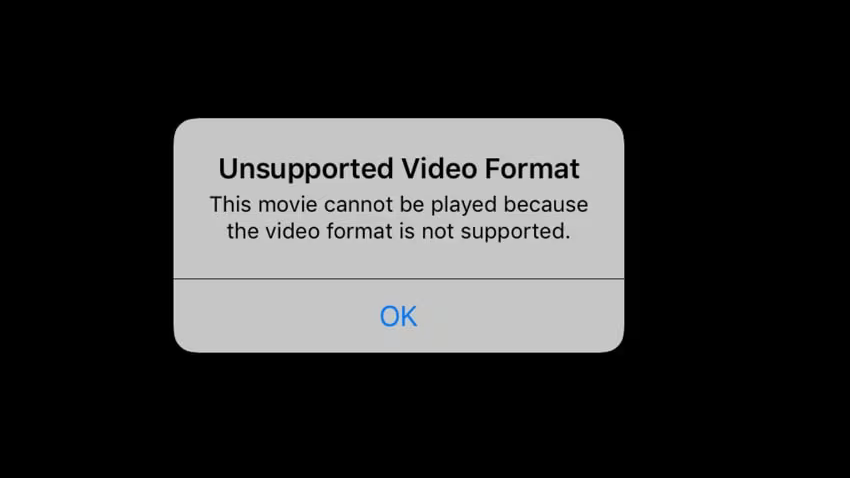
The available format is not the one expected.
Sometimes a video is detected but the option offered doesn’t match what the user expects. For example, someone may think they’re downloading a video with audio when it’s actually a video‑only stream or a misinterpreted result.
If the video is downloaded but has no sound, see our guide « Why does my downloaded video have no sound? » to check the source, the format, and the player used.
Mobile devices don't handle downloads the same way as computers.
On iPhone and Android, downloads don't always behave the same as on desktop. A video can be saved in a less visible folder, or require an extra confirmation. In some cases, the browser simply opens the file instead of saving it automatically.
The right method when a download fails
When the download doesn't work, first run a clean test. Take the correct link and paste it again into All Downloader, reload the page if necessary, then compare the options offered. If the problem persists, try another browser or another connection.
Conclusion
When a video won't download, the cause isn't necessarily complicated. An incorrect link, a private video, a disrupted browser, a platform-side change, an unexpected format, or an unstable connection can be enough to block the process. The right approach is to calmly check each step and use the resources on your site that are best suited.
If the problem persists, check the link with Our guide to invalid video links, then check the help page of the platform in question. Private or removed content does not become accessible simply by switching browsers.