

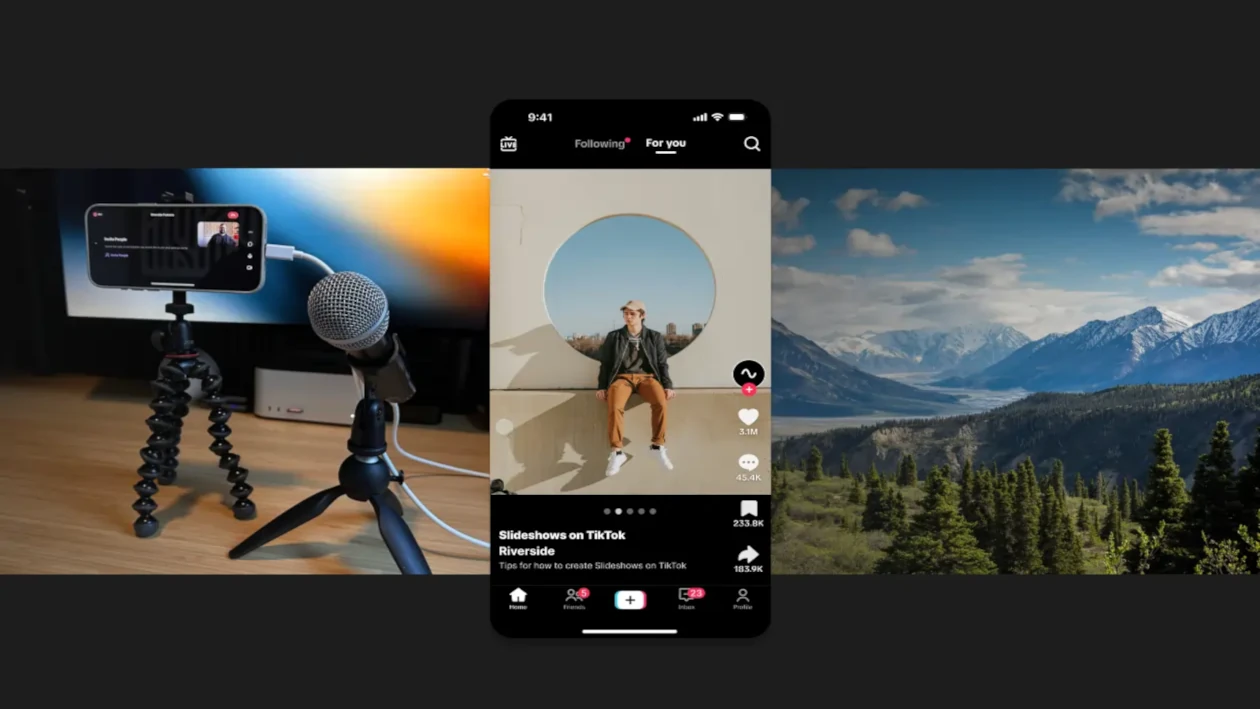
TikTok is no longer limited to short videos. Photo mode, also called TikTok carousel or slideshow, lets you post multiple images that users can manually swipe through. Music, an original sound, text and various effects can accompany the photos.
This format has become particularly popular for telling a story, showcasing a trip, posting a transformation, sharing tips, or creating a collection of memories. However, it presents a challenge when saving: how can you retrieve all the photos without losing the music or the slideshow order?
Depending on the post, TikTok may save the content as separate photos, an interactive carousel, or an animated video. The appropriate method therefore depends on the desired result.
In this guide you'll learn how to download a TikTok slideshow on iPhone, Android, and computer, how to save the original images, keep the music, and troubleshoot the main issues.
What is a TikTok slideshow?
A TikTok slideshow is a post made up of several photos. Unlike a traditional video, the images aren't necessarily combined into a single video file. The user can sometimes scroll through them at their own pace by swiping left.
The creator can complete their carousel with:
- a track available in the TikTok library;
- an original audio;
- a caption;
- text added to images;
- filters or effects;
- hashtags ;
- a location;
- mentions of other accounts.
Photo mode is often confused with a video edited from images. Visually, the two can look similar, but their technical structure is different. This distinction directly affects the download method.
Slideshow, carousel and photo video: what's the difference?
| Content type | How it works | Result after saving |
|---|---|---|
| TikTok Carousel | The user scrolls through the photos | Multiple separate images |
| Automatic slideshow | Images play in sequence with music | One video or multiple images, depending on the source |
| Video edited with photos | The photos are already embedded in a video | A standard video file |
| TikTok Draft | The content remains in the creator's app | No usable public link |
Before starting, see if you can manually scroll through the images. If so, it's probably a carousel. If the photos change automatically without any input, the content may already be encoded as a video.
Why save a TikTok slideshow?
Backing up can be useful when you want to keep one of your own creations, retrieve an old carousel before closing an account, or view authorized content offline.
A creator may also want to retrieve their footage after deleting the original files from their phone. A company may archive its posts to keep a record of its campaigns. A community manager may retain a client's content as part of an authorized assignment.
The main reasons for saving a slideshow are:
- archive your own posts;
- keep photos in their original order;
- preserve content before deleting an account;
- recover a creation whose source files have been lost;
- prepare a local backup;
- Legally reuse your own images on another network;
- watch authorized content offline.
Can photos and music be downloaded into a single file?
It depends on the post's structure. When TikTok serves a true carousel, photos and music may be treated as separate elements. Downloading the images therefore doesn't automatically produce a video that includes the audio.
Three possible outcomes:
- retrieve all photos separately;
- retrieve only the audio track when it is available and permitted;
- transform photos into a personal video by adding music you have the right to use.
If the post is already a video edited from photos, it can be downloaded like any other TikTok video. You can then follow the guide for downloading a TikTok video.
How do I copy the link to a TikTok slideshow?
The share link lets you identify the public post and analyze the available media. The procedure is almost identical on iPhone and Android.
- Open the TikTok app.
- Display the slideshow you want to save.
- Tap the "Share" button represented by an arrow.
- Select 'Copy link'.
- Wait for the message confirming the copy.
It's better to use the share button than to manually copy an address. This helps avoid incomplete links or character errors.
The post must be public and accessible. A link to a draft, a private account, or restricted content usually cannot be processed by an external service.
How to download a TikTok slideshow with All Downloader?
After copying the link, you can check the formats detected by All Downloader. The service analyzes public media available in the post.
- Copy the slideshow link from TikTok.
- Open All Downloader in your browser.
- Paste the link into the download field.
- Start analyzing the post.
- Check the available formats.
- Only download media that you have legal access to.
The result depends on the type of carousel and the data TikTok makes available. The service may detect a video, an audio track, or different media depending on the post structure. Some slideshows may not be retrievable as a single video.
If the post is detected as a video, choose a version that includes audio. If multiple separate items appear, save them individually and keep their order.
Download a TikTok slideshow on Android
On Android, the operation can be performed directly from Chrome, Firefox, or another recent browser.
- Open the carousel on TikTok.
- Tap 'Share', then 'Copy link'.
- Open your browser.
- Go to All Downloader.
- Press and hold in the field and choose "Paste".
- Analyze link
- Choose the available media or format.
- Allow the download if Android prompts for confirmation.
Files are usually placed in the 'Downloads' or 'Téléchargements' folder. Depending on the phone brand, you'll find them in 'My Files', 'Files', 'File Manager', or in the gallery.
If you can't find the saved items, consult the guide explaining where to find downloaded files on Android and iPhone.
Download a TikTok carousel on iPhone or iPad
Safari lets you download detected files without installing an additional app.
- Copy the slideshow link into TikTok.
- Open Safari.
- Go to All Downloader.
- Paste the link into the provided field.
- Start analysis.
- Select the available media.
- Confirm the download in Safari.
Files are usually saved in the 'Downloads' folder of the Files app. To move an image to Photos, open it, use the share button, and select the appropriate save option.
When multiple photos are downloaded, select them in the Files app to move them together. Check their order before recreating the slideshow.
Download a TikTok slideshow on PC or Mac
On a computer, you can copy the TikTok address into your browser or use the link sent from your phone.
- Open the TikTok post.
- Copy the full address.
- Go to All Downloader.
- Paste the link and start the analysis.
- Save the available items.
- Create a folder dedicated to the slideshow immediately.
Place the photos, any video file, the caption, and the source link in the same folder. This organization prevents losing the order of the images and makes it easier to identify the creator.
How to save your own slideshow before publishing?
The best approach is to keep the original files even before publishing. Never rely on TikTok as your only storage.
Before creating the carousel, copy the images into a dedicated folder. Use numbered filenames to preserve the intended order:
01-couverture.jpg, 02-introduction.jpg, 03-conseil.jpg, 04-conclusion.jpg
Also keep a copy of the caption in a note and save the name of the sound used. If the music is yours, keep the original audio file and its creation metadata.
This method will allow you to legally republish your work, correct a mistake, or recreate the slideshow even if the TikTok version disappears.
How do I keep the slideshow music?
Music used in a carousel may come from TikTok's library and be subject to specific rights. The presence of a sound in the app does not mean you can download and republish it freely on another platform.
If you are the owner of the audio, use your original file when possible. If the music belongs to a third party, check the license and obtain the necessary permission before extracting or reusing it.
When an authorized post is detected as a full video, the audio may be included in the file. If you have the right to extract only the audio track, see the guide to extract audio from a video as MP3.
When recreating your own slideshow, opt for original music, a royalty-free track, or a work for which you have a license compatible with the intended distribution.
How to turn photos into a video?
If you retrieved your own images separately, you can create a standard video file. This is handy for watching the slideshow offline or for publishing it on a platform that doesn't support carousels.
- Import the photos into an editing app.
- Restore them to their original order.
- Choose a display duration per image.
- Add subtle transitions.
- Add music you are authorized to use.
- Set the vertical format to 9:16.
- Export the video as MP4.
- Check the result before deleting the source files.
Two to four seconds per photo works for many slideshows, but it should be adjusted to how much text is displayed. An image containing several sentences should stay on screen longer.
What photo quality should I choose?
Always keep the best available quality when the images are yours. Avoid screenshots if you can get the original files, since screenshots can add interface elements and lower the resolution.
For a vertical slideshow, a 9:16 aspect ratio fills the screen properly. If the images are square or horizontal, add a background or appropriate framing instead of enlarging them excessively.
- avoid saving the same image multiple times with compression;
- keep a copy of the unmodified originals;
- do not convert files unnecessarily;
- use numbered names;
- check the text and small details after downloading.
Why are some photos missing?
A carousel can contain many images, but a tool may sometimes detect only a preview, a cover, or a video version. Several causes are possible:
- the post is no longer public ;
- The link redirects to another version of the content;
- TikTok temporarily limits access to media ;
- the post uses a recently changed format ;
- some images are loaded only in the app;
- the content was deleted during the analysis ;
- the copied link is incomplete.
Start by opening the link in a private browser window to check that the post is accessible without your account. Then copy the address again using the share button.
If the problem persists, consult the All Downloader FAQ or send the link and the error message via the contact page.
Why does the downloaded slideshow have no sound?
Downloading photos does not necessarily include the music. In Photo mode, audio may be associated with the post without being embedded in each image.
If the service offers multiple results, look for a video version with audio. If only images are available, you'll need to recreate the slideshow from your own files and licensed music.
Also make sure the post still has its music. Audio may be removed or made unavailable after uploading, notably due to rights, region restrictions, or catalog changes.
Why won't the downloaded file open?
An incomplete file, an unrecognized format, or a connection interruption can prevent playback. First check the file size and make sure the download is complete.
Then try opening the file with a different player. If the problem persists, download a new copy in a more common format like MP4. The guide dedicated to Downloaded videos cannot be played presents the appropriate checks and solutions.
Download without watermark: is it still possible?
The result depends on the media provided by the platform. An image or video may contain a watermark, an account name, or another mark added when it was posted.
Do not intentionally remove another creator’s identifier to repost their content as your own. The account name helps locate the author and reduces attribution errors.
For your own posts, the best option is to keep the original images before uploading them. You can also consult the guide on download videos without watermark to understand the different situations.
Copyright and privacy
A publicly visible post is not automatically free of copyright. Photos, music, text, and editing may belong to different people.
You may save your own creations or content for which you have permission. However, you must not republish, sell, modify, or include someone else's photos in a campaign without their consent.
Be especially careful when the carousel contains:
- photos of minors;
- people filmed in a private setting;
- personal information;
- commercial music;
- professional illustrations or photographs;
- confidential documents ;
- content accessible only to a limited group.
Before any reuse, obtain written permission from the creator. Find more information in the guide on Copyright applicable to sharing content.
Mistakes to avoid
- Confusing an interactive carousel with a regular video.
- Believing that the music is embedded in image files.
- Only take low-quality screenshots.
- Forget the original order of the photos.
- Delete the source files after publishing.
- Use music without checking its license.
- Attempt to access a private post.
- Install an unknown app requesting excessive permissions.
- Republishing a creator's images without their permission.
- Intentionally remove the original credit.
Checklist for properly saving a TikTok carousel
- Make sure the post is public.
- Determine whether it’s a carousel or a video.
- Copy the link using the share button.
- Check the rights associated with the content.
- Analyze the link with All Downloader.
- Choose the available media and formats.
- Download images at their best quality.
- Keep their order by numbering.
- Archive the link and the creator's name.
- Use only authorized music.
- Check all files before closing the page.
- Create a second backup of important content.
TikTok slideshow FAQ
How to download a TikTok slideshow?
Copy the post link using the share button, paste it into All Downloader and check the detected media. The result may consist of separate images or a video depending on the post's structure.
Can you save all the photos from a carousel?
It depends on the media made available by TikTok. When multiple images are available, download them and number them immediately to preserve their order.
Why isn't the music downloaded with the photos?
An image does not contain an audio track. In a real TikTok carousel, the music may be managed separately by the platform.
Can a carousel be converted into a video?
Yes, if you own the images or have the necessary permissions. Import the photos into editing software, keep their order and add licensed music before exporting as MP4.
Does this method work on iPhone?
Yes. Safari can save media to the Files app. Images can then be moved to Photos.
Can you download a TikTok draft?
A draft doesn't have a usable public link. If the draft belongs to you, use the options provided in the app or save the original photos directly.
Is it legal to republish a downloaded slideshow?
Not automatically. You must own the rights to the images, music, and editing, or obtain clear permission from their owners.
Conclusion
Downloading a TikTok slideshow first requires determining whether it's a true carousel or a video edited from photos. A carousel can provide multiple separate images, whereas a standard video may contain the images and audio directly in a single file.
Copy the post link, analyze it with All Downloader and choose the available media. Be sure to keep the order of the photos, the source link and the creator's identity.
For your own creations, always keep the original files before publishing. This way you won't have to rely on TikTok to retrieve your memories, campaigns, or professional content.
All Downloader is intended for personal, legal and authorized use. You must have the necessary rights before downloading, modifying or republishing any content.