

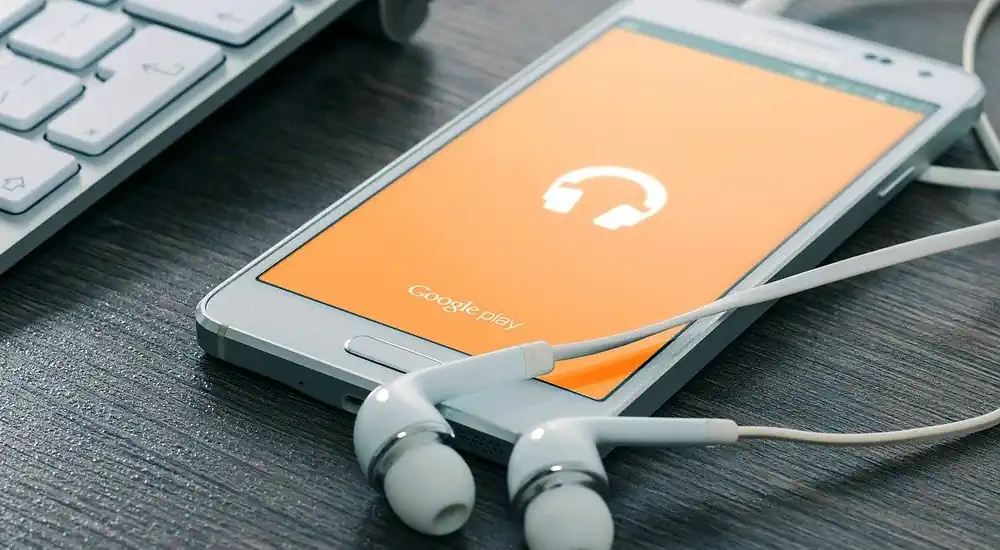
Are you going on a trip, taking public transport, or want to listen to your favorite show where there’s no signal? Downloading a podcast in advance lets you keep listening when an Internet connection isn’t available.
Spotify and Apple Podcasts offer offline listening options for supported episodes. But an episode downloaded within an app isn't necessarily an MP3 file you can freely move.
In this guide, discover how to download a podcast to listen offline, where to find the episodes and what to check if the download doesn’t work.
How to listen to a podcast offline? The quick answer
To prepare for offline listening:
- Open your podcast app while connected to the Internet.
- Search for the show, then the episode you want.
- Tap the button Download if the option is available.
- Wait for the download to finish.
- Find the episode in the app's downloaded content section.
- Before you leave, test playback in airplane mode.
Options depend on the app, the episode, and sometimes on your subscription. A download intended for offline listening generally remains tied to the app that performed it.
Downloading a podcast vs. saving an MP3 file: what's the difference?
Before choosing a method, it’s useful to distinguish two situations.
| Solution | What you get | Primary use |
|---|---|---|
| Download in a podcast app | An episode available offline in the app, subject to its terms. | Listen while traveling or offline. |
| Downloading an audio file provided by the creator | A file, for example an MP3, stored on your device. | Keep or play the file in a compatible player, depending on the permissions granted. |
An episode downloaded from Spotify or Apple Podcasts should not automatically be presented as a freely exportable MP3 file. If you need an audio copy, check whether the creator or host provides an official download link.
In any case, being able to listen to an episode does not automatically grant the right to republish it or to use it in a commercial project.
How to download a podcast on Spotify?
Spotify lets you download podcasts for offline listening. According to its official help, users on the free tier can download podcasts, while Premium also allows downloading certain music content.
Availability may depend on the show: Spotify notes that some shows may require a Premium subscription to download.
On iPhone or Android
- Open the app Spotify and sign in to your account.
- Search for the name of the podcast you want to listen to.
- Open the show's page and choose an episode.
- Tap the icon Download Or open the episode menu to look for that option.
- Wait until the indicator confirms the download has finished.
- Then find the episode in your library or in the downloaded content section.
Menu names may vary by app version. Before going offline, play a few seconds of the episode to make sure playback works.
Do I need to reconnect to the Internet?
Spotify indicates that at least one connection is required every 30 days is required to keep downloads available in the app. Check the current terms before a long trip, as service rules may change.
You can view the up-to-date instructions in Spotify's official help on offline listening.
How do I download a podcast on iPhone with Apple Podcasts?
The app Podcasts Apple's app lets you download compatible episodes on iPhone and iPad to listen to later offline.
- Open the app Podcasts.
- Search for the show you want.
- Open the show's page and locate the episode to download.
- Press and hold the episode.
- Press Download.
- After downloading, open Library → Downloaded how to locate the episode.
Depending on your settings, some played episodes may be automatically removed from the device. If you want to keep them longer in the app, check the download options in the Podcasts settings on your iPhone.
For the latest steps and settings, see Apple Support on downloading podcast episodes.
How to download a podcast on Android?
On Android, the procedure depends on the app you use. With Spotify, open the episode and use its download button when it's available.
In another podcast app, look for a down-arrow icon or an option labeled Download in the episode menu. Then check the app's Library or Downloads section.
Before you go, make sure the download is complete. An episode simply added to your library isn’t necessarily saved for offline listening.
If you downloaded an actual audio file from a website rather than from a podcast app, consult our guide to learn where to find downloaded files on Android and iPhone.
Can you download a podcast to a computer?
It depends on the service and the show. Some desktop apps offer an offline download feature. Some creators also make an audio file available on their own website.
If the author offers an official option:
- Open the episode's official page.
- Search for a button. Download or a link to the audio file.
- Check the terms of use specified by the author.
- Save the file in an easy-to-find folder.
- Open it with a compatible audio player to verify it works.
If no download option is offered, you can use the platform’s offline listening feature or ask the creator if they provide a copy. Do not try to bypass any protection or access restriction.
Where to find downloaded podcasts?
The location depends on how the episode was saved.
| Method | Where to look? |
|---|---|
| Downloaded episode in Spotify | In Spotify's Library or Downloads. |
| Downloaded episode in Apple Podcasts | In Podcasts → Library → Downloaded. |
| Audio file downloaded from a website | In Downloads, Files, or the folder chosen when saving. |
| File received in a messaging app | In the original app or in the folder where you saved it. |
If an episode is available offline in an app, it may not appear as a separate audio file in the Downloads folder. So start by opening the app that performed the download.
Why won't my podcast download?
If the download remains pending or fails, check the following before trying again.
1. The Internet connection is unstable
Downloading requires a connection at the time you do it. Try a stable Wi‑Fi network and wait for the app to indicate the episode is ready.
2. Mobile data is disabled
Some apps prioritize Wi‑Fi to avoid heavy mobile data use. If you want to download using your mobile data plan, check the corresponding setting in the app and consider your plan's limits.
3. The phone is low on storage
Audio episodes can take up space, especially if you download a lot. Check available storage and delete downloads you no longer need from the relevant app.
4. The episode is not available for download
Some content may be subject to special conditions or may not offer an offline option on your account. Check the platform's and the show's information.
5. The download isn't finished
An episode added to your library or placed in the queue isn’t necessarily downloaded. Wait for the confirmation shown by the app, then test offline playback.
Why has a downloaded podcast disappeared?
An episode may no longer appear for several reasons: manual deletion of the download, automatic cleanup settings, account change, or app-specific conditions.
On Apple Podcasts, specifically check the setting for deleting played episodes. On Spotify, make sure you're signed into the correct account and follow the service's reconnection requirements.
If the download was removed but the episode is still available, you can usually download it again from the app when the option is offered.
How can I save storage on my phone?
A few habits can help you keep only the episodes you need:
- Download the episodes you need for your next trip instead of the whole show.
- Delete downloads you've already listened to if you no longer need them.
- Check the automatic download settings.
- Use Wi-Fi for large downloads when possible.
- Regularly check the storage space used by your apps.
Before deleting all downloads from an app, make sure you can recover the episodes you still want and that you'll have a connection when you need it.
Can All-Downloader be used for all podcasts?
All-Downloader is a tool intended for certain media content accessible from compatible platforms. Available options depend on the source and the content being processed.
Compatibility with every podcast platform or every episode is not guaranteed. To listen to a Spotify or Apple Podcasts podcast offline, prioritize using the features provided in the relevant app.
If you want to keep an audio file, look for a download option authorized by the creator or their host. Respect the platform's terms and the rights attached to the episode.
To understand the service's usage terms, you can consult the page copyright and authorized use of All-Downloader.
FAQ: Download a podcast to listen offline
Can you download podcasts with Spotify Free?
Spotify states that the free tier allows downloading podcasts. However, some shows may be subject to specific conditions, including a Premium subscription.
Is a podcast downloaded on Spotify an MP3?
Spotify downloads are for offline listening within the app. They do not necessarily correspond to a standalone MP3 file you can move or reuse freely.
How can I listen to a podcast in airplane mode?
Download the episode before disconnecting, wait for confirmation, then open it from your app's downloads. Do a test before you leave to make sure everything works.
Do you need Internet to play a podcast you’ve already downloaded?
An episode properly downloaded for offline listening can be played without a connection, subject to the app's terms. Some platforms require you to sign in periodically to keep downloads.
Can you republish a downloaded podcast?
Downloading or accessing an episode does not automatically grant the right to republish it. Check the rights and obtain permission from the rights holder when required.
Key points
To listen to a podcast offline, download the episode in your app before you go and make sure it's available in the Downloads section. Spotify and Apple Podcasts offer this feature for compatible content, subject to their terms.
If you need a standalone audio file, look for a download option offered by the creator or their host. In any case, keep a backup connection when possible and respect the rights attached to the content.