

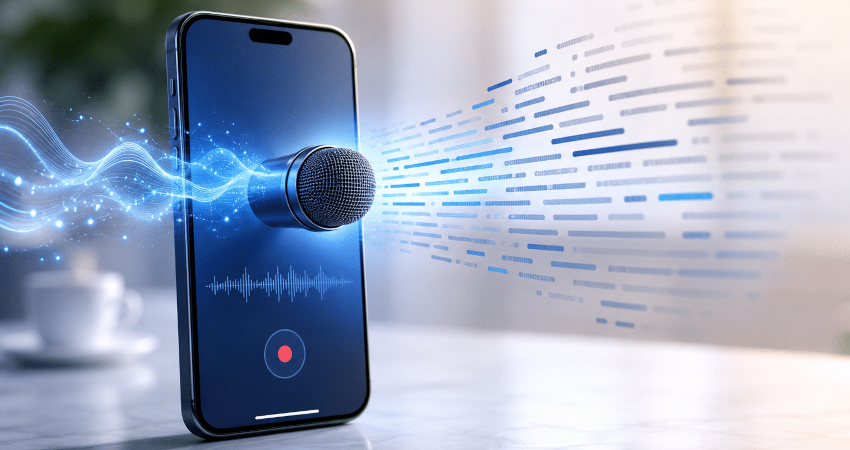
Video has become the dominant format on the Internet, but by 2026 a new habit is taking hold among users: not only watching videos, but also extracting their text. Students, content creators, journalists, instructors, entrepreneurs, freelancers and curious viewers increasingly want to download a YouTube video's transcript, retrieve its subtitles, or get a quick summary using artificial intelligence.
This trend is no accident. There are many videos, often long, sometimes hard to rewatch in full, and saving time is becoming increasingly important. Instead of watching a 45-minute lecture, many users prefer to read a summary, scan a transcript, or search directly for a specific passage in the text. AI video summarization tools are multiplying to meet that need, with features like timestamped transcriptions, subtitles, key points, mind maps, or searching within a video's content. Some specialized services already promote the generation of summaries, transcripts and subtitles in more than 100 languages.
Why internet users want to turn videos into text
For a long time, watching a video was the only way to access its content. If someone wanted to understand an interview, a course, a tutorial, or a lecture, they had to play the video and manually scrub to the right moment. This method works, but it takes time. Today, with content piling up on YouTube, TikTok, Instagram, Facebook, LinkedIn and training platforms, users want to move faster.
Video transcription exactly addresses this problem. It converts a video's audio into readable text. Instead of relying solely on image and sound, the user can read the content, search for a keyword, copy a passage or summarize the main ideas. For a 30-minute video, this can represent a huge time saver.
Students use transcriptions to study for classes, extract definitions, or turn educational videos into study notes. Professionals use them to analyze webinars, recorded meetings, or interviews. Content creators use them to repurpose videos into blog posts, newsletters, LinkedIn posts, or short scripts. Journalists can quickly locate a quote in a long video. Marketers can analyze the arguments used in a promotional video or a product presentation.
In 2026, the need is therefore no longer just to download a video. The real need is often to download the information contained in that video.
The rise of AI-generated summaries of YouTube videos
Artificial intelligence has accelerated this trend. Previously, getting a clean transcription sometimes required a lot of manual work. You had to listen, correct, rephrase and organize. Today, many tools can automatically generate a transcription, create a summary, extract key points and even suggest actions to take away.
AI-powered YouTube summary tools have become popular because they address a simple frustration: there are too many videos and not enough time. Specialized platforms in 2026 present YouTube summarizers as tools that quickly deliver a video's key ideas, with transcriptions, summaries and sometimes exports in TXT, PDF or DOCX.
This shift is changing how people consume content. Someone might only watch a video if the summary seems interesting. They might also read the transcript before deciding whether the full video is worth watching. In some cases, they may use only the text without watching the entire video.
That doesn't mean video loses its importance. On the contrary, it remains a powerful, lively, and engaging format. But text becomes an indispensable complement. It allows information to be indexed, archived, searched, and reused. That's precisely why downloading YouTube transcripts is becoming an increasingly searched topic.
Downloading a YouTube transcript: what is it useful for in practice?
Downloading a YouTube video's transcription can be useful in many situations. The primary use is learning. When a student watches a lecture video, they may need to re-read certain passages, highlight important sentences, or create a personal summary. A transcription makes this work much easier than a regular video.
The second use is information retrieval. In a long video, it can be hard to find a specific line. With a transcription, you can use document search to locate a word, name, date, or phrase. This is very useful for conferences, video podcasts, interviews, and technical tutorials.
The third use is content creation. A creator who publishes a YouTube video can turn its transcript into a blog post, an optimized description, a newsletter, a social post or a script for a new video. This method lets one piece of content pay off across multiple channels.
The fourth use is accessibility. Subtitles and transcriptions help deaf or hard-of-hearing people, as well as users who can’t listen to audio in a public place. They also make comprehension easier for people who aren’t fully fluent in the language spoken in the video.
The fifth use is archiving. Some videos can be deleted, made private, or hard to find. Keeping a transcription preserves a written record of the content even if the video is no longer easily accessible.
Subtitles, transcription, and summary: what's the difference?
Many users confuse subtitles, transcripts, and summaries. However, these three formats don't serve exactly the same purpose.
Subtitles are usually displayed in sync with the video. They let you read what’s being said during playback. They’re often split into short sentences and paired with timestamps. They’re useful for following a video without sound or in another language.
A transcription is a more complete text version of the audio content. It may be timestamped or not. It generally captures all the words spoken in the video. It's ideal for reading, copying, searching, or archiving the content.
A summary does not cover everything. It condenses the main ideas. A good video summary should present the topic, the key points, the conclusions, and sometimes the steps to follow. It's perfect for quickly understanding a video without watching it in full.
Why YouTube is becoming a massive library to summarize
YouTube is no longer just an entertainment platform. It’s now a vast library of knowledge. You can find tutorials, courses, lectures, interviews, podcasts, analyses, documentaries, product reviews, training programs, and professional content.
The problem is that this library is mostly video. Video is harder to skim than text. You can scan an article in a few seconds, but you can't skim a video the same way without the right tools. That's where transcriptions and AI summaries become essential.
With a transcript, a video becomes searchable like a document. With a summary, it becomes quickly understandable. With subtitles, it becomes more accessible. With download tools, it becomes easier to keep.
This transformation is particularly important for long videos. Video podcasts over an hour, lectures, training sessions and webinars often contain a lot of useful information, but few users have time to watch everything. AI summarizers and transcription extractors therefore make these contents more convenient.
The impact of AI on subtitles and video translation
Another phenomenon reinforces this trend: automatic translation and AI dubbing. YouTube is heavily developing its automatic dubbing tools to make videos accessible in multiple languages. According to YouTube’s official documentation, automatic dubbing generates translated audio tracks to make videos accessible to international audiences.
YouTube also announced in 2026 the expansion of its automatic dubbing tool to 27 languages, aiming to make creators from around the world easier to discover. This development shows that video is becoming increasingly multilingual. A video published in English can be understood in French, Spanish, Arabic or other languages thanks to translation, subtitles and dubbing.
For users, this creates new needs. They may want to download subtitles in their language, retrieve the original transcript, compare a translation, or keep a text version of foreign content. Creators, meanwhile, can use these texts to adapt their videos for multiple markets.
Transcription is therefore no longer just a convenience. It becomes a bridge between languages, cultures, and audiences.
How to download or extract a transcription from a video
How it works depends on the platform and the tool used, but the principle is usually the same. The user copies the video's link, pastes it into a compatible tool, then retrieves the available content: video, audio, subtitles, transcript, or summary.
For a YouTube video, some tools let you get the transcript directly if subtitles are available. Others use artificial intelligence to analyze the audio and automatically generate text. Some services also add timestamps, which let you know when each sentence appears in the video.
A good transcription tool should provide clear, easy-to-copy text, ideally exportable in multiple formats. The most useful formats are TXT for plain text, DOCX for an editable document, PDF for archiving, and SRT or VTT for subtitles.
For the user, simplicity is essential. They don't want to go through a complicated process. They want to paste a link, click a button, and get a usable result. That's why online tools remain so popular: they don't always require installation and can be used from a browser.
Best uses for students
Students are among the first to benefit from this trend. Many courses, lectures, and explanations are available for free on YouTube. But watching several hours of video can quickly become tiring.
With a transcription, a student can turn a video into study material. They can extract definitions, spot important examples, create a revision sheet or translate certain passages. They can also use the AI summary to quickly understand whether the video matches their needs.
Transcripts are also useful for language learners. Watching a video with subtitles, then reviewing the transcript, helps you better understand vocabulary, pronunciation and sentence structure. It’s an effective way to improve, especially when the content is engaging.
Finally, students can save time in their research. Instead of watching ten full videos, they can read the summaries, select the most relevant ones, and then dive deeper only into those that are truly worth it.
Best uses for content creators
Content creators also have a lot to gain from transcripts. When a creator publishes a video, they can extract the text to create multiple derivative pieces. A YouTube video can become a blog post, an Instagram carousel, a LinkedIn post, a newsletter, a Short script or a practical guide.
This strategy is often called content recycling. It lets you publish more regularly without starting from scratch each time. The creator uses a single main idea, then adapts it to multiple formats.
Transcription also helps with SEO. An article based on a video can be optimized for Google with titles, subtitles, keywords, and structured paragraphs. A video alone can be hard for search engines to analyze, whereas well-written text can attract organic traffic.
For multilingual creators, transcripts also make translation easier. Once the text is extracted, it becomes simpler to produce subtitles in another language, create a translated version of the article, or prepare a dub.
Best uses for professionals
In the professional world, video transcriptions are also becoming very useful. Companies run many webinars, online meetings, presentations, training sessions, and product demos. These pieces of content often contain important information, but they're rarely used to their full potential.
Downloading a webinar transcription allows you to create a summary, an FAQ, internal documentation, or a blog post. A recorded meeting can be turned into a list of decisions. A customer interview can be converted into a written testimonial. A video training session can become a step-by-step guide.
Marketing teams can also analyze competitors' videos, spot the arguments used, identify recurring keywords, and understand market trends. Sales teams can capture common objections mentioned in videos or webinars. Trainers can improve their materials by relying on transcriptions of previous sessions.
In all these cases, text makes the video easier to use.
Limitations of automatic transcriptions
Even though AI tools are very powerful, they’re not perfect. An automatic transcription can contain errors, especially if the audio is poor, multiple people speak at once, the accent is strong, or the vocabulary is highly technical.
Proper names, brands, specialized terms and local expressions may be misrecognized. Sentences can also be poorly punctuated. That’s why it’s recommended to proofread a transcript before using it in an important context.
AI summaries should also be checked. An AI can sometimes miss a nuance, oversimplify a point or misinterpret a passage. The recent example of TikTok, which scaled back an AI summarization feature after results were judged inaccurate and odd, is a reminder that automatic summaries should be used with caution.
Ideally, use AI as an assistant, not as the definitive source. It saves time, but the user should keep a critical eye.
Downloading a transcript: legal best practices
Downloading a transcription, subtitles, or a video must be done in compliance with copyright and the platforms' terms of use. A video published online is generally still protected by copyright. That means you should not take a creator's content and republish it as-is without permission.
For personal, educational, research, or private archival use, retrieving a transcription can be useful. However, if the goal is to republish the text, sell it, publicly translate it, or use it in commercial content, it’s better to ask the creator’s permission or properly credit the source.
You must also be careful with private, paid, or confidential content. A meeting transcript, internal training, or non-public video can contain sensitive information. In such cases, caution is essential.
The simple rule to remember is this: downloading to better review, learn from, or organize your notes is one thing; copying to republish without permission is another.
Tips for organizing downloaded transcriptions
Once transcripts are downloaded, it's useful to organize them properly. Many users accumulate files without sorting them, then end up unable to find what they've saved.
The first good practice is to rename files with a clear title. For example: formation-seo-youtube-transcription.txt is much more useful than transcript123.txt. The second best practice is to create folders by theme: studies, marketing, tutorials, interviews, languages, professional projects, or personal research.
It may also be useful to add the date and source in the document. This makes it possible to know where the information came from and when it was retrieved. For important content, keeping the original video link is also recommended.
Users who work extensively with transcriptions can use a note-taking or document management tool. This allows quick searching across multiple files and building a real personal knowledge base.
Conclusion
In 2026, downloading a video is not always enough. Users want to understand faster, learn more effectively, locate key information and reuse content intelligently. That’s why downloading YouTube transcripts, subtitles and AI summaries is becoming a major trend.
Video remains an essential format, but text gives it a new dimension. A transcript turns a video into a searchable document. An AI summary saves time. Subtitles improve accessibility. Automatic translation and dubbing open content to international audiences.
For students, creators, professionals and curious internet users, knowing how to extract text from a video has become an essential digital skill. And for a site like all-downloader.net, it’s a great editorial opportunity: offering clear, practical, and optimized guides around downloading, extracting and converting video content.
In short, the big trend is no longer just watching videos. The trend is to turn them into useful information that’s easy to read, easy to save and easy to reuse.