
TikTok automatically adds a watermark to downloaded videos. Depending on the video, a watermark-free option may be available. It is not guaranteed for all links.

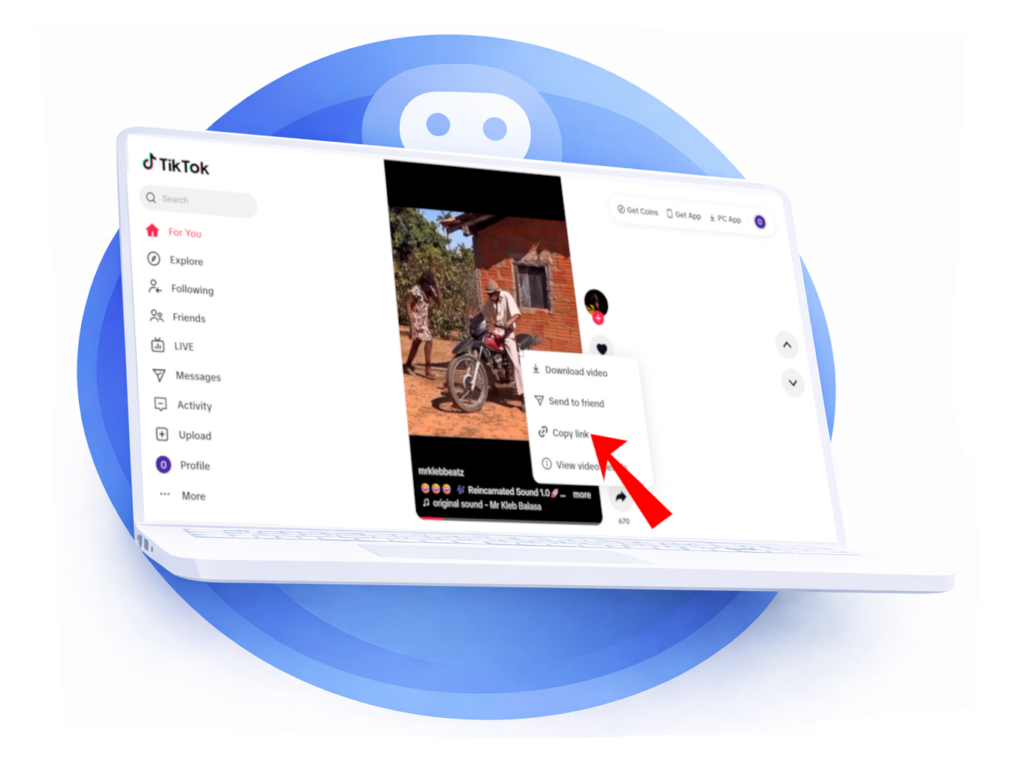
Copy the video link
Open TikTok, then copy the link to the video you want to download.
Paste the link into the designated field
Paste the link into the appropriate field. The platform will be detected automatically.
Then tap Download.


Preview and choose your options
Once the link is analyzed, a video preview appears with its information.
Next, choose the download mode:
Also select the quality desired.
Start the download
After choosing your settings, click Download.
Your audio or video will be successfully downloaded.

Want to check every step on phone or computer? See our Guide to downloading a TikTok video. The formats offered and the presence of a watermark depend on the video.
Paste the link to a public video from a compatible source. If All-Downloader can analyze it, choose from the options shown. Private, removed, or login-required content is generally not accessible.
Quality depends on the file available at the source. All-Downloader cannot recreate details lost during publishing or provide a resolution the source does not supply.
Yes, if you have the right to download it and you respect the creator's rights as well as the platform's rules. Downloading a video does not automatically give you the right to republish it or use it for commercial purposes.
Yes, All Downloader is free and available without registration. Just paste the link to a public video to see the available download options.