

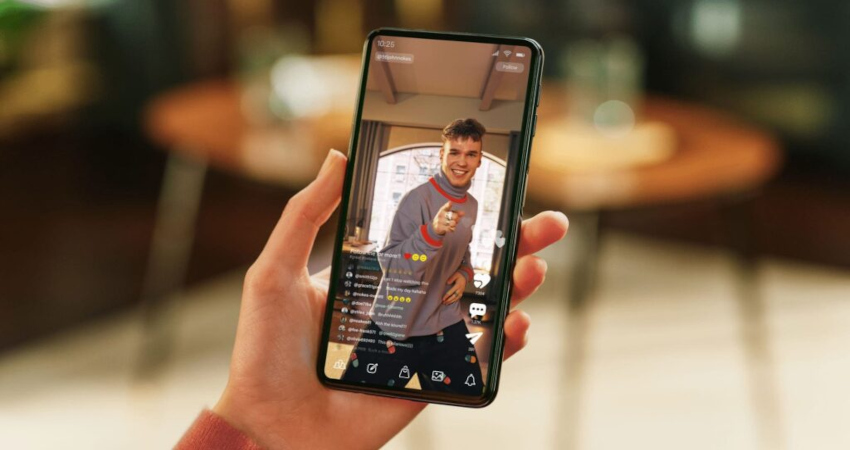
For a long time, streaming platforms were associated with traditional-format movies, series, and documentaries. You'd open Netflix, Disney+, Prime Video, Max, Paramount+ or another service, then watch a full episode, a two-hour movie, or an entire season. Streaming was designed for the couch, the TV, a computer, or a tablet.
But usage is changing. In 2026, streaming platforms are increasingly focused on short, vertical, mobile formats. Users no longer always want to sit down for a full episode. They sometimes want to discover a series in a few seconds, see a powerful scene, watch a short trailer, share a clip, rewatch a memorable moment, or consume content on their smartphone between activities.
This is where a very strong trend appears: the vertical streaming videosIt can include official series clips, previews, vertical trailers, promotional clips, short scenes, recaps, behind-the-scenes content, actor reactions, teasers or mini-videos designed for TikTok, YouTube Shorts, Instagram Reels and mobile apps.
For users, this format is convenient, fast, and very well suited to phones. For platforms, it helps capture attention, promote their shows, and drive viewers to long-form content.
Vertical videos are no longer just social media content; they're becoming an extension of modern streaming. Here's a complete guide to understand this trend and learn how to better manage these new video formats.
Why streaming platforms are betting on vertical videos
The main reason is obvious: the smartphone has become the primary screen for millions of users. Many people discover movies, series, shows, or documentaries through clips seen on social media. A vertical 30-second clip can make someone want to watch a whole series, while a traditional two-minute trailer may be ignored.
The second reason is competition from short-video platforms. TikTok, YouTube Shorts, Instagram Reels and Snapchat Spotlight have trained users to scroll through content quickly. Streaming platforms can’t ignore this habit. They want to be present where attention is.
The third reason is promotion. A powerful scene, a funny line, a suspenseful moment or a reveal can go viral. A widely shared excerpt can create a trend around a series. Platforms therefore use vertical clips as natural mini-ads.
The fourth reason is discovery. Many users don't know what to watch. Catalogs are huge, and choice can become exhausting. A short clip lets you test the vibe of a show before starting a full episode.
The fifth reason is frequency. A user won't necessarily open a streaming platform every day to watch long content. But they might watch several short clips a day. Vertical formats therefore help platforms stay present in users' daily lives.
What is a vertical streaming video?
A vertical streaming video is short-form content, often in 9:16 format, created from or around a film, series, documentary, event, or program streamed on a platform. It’s designed for smartphones and social media.
It can take several forms. The first is a scene excerpt, showing a highlight: an argument, a joke, a revelation, an action, a romantic scene, a striking line, or a spectacular moment.
The second format is the vertical trailer. Instead of a classic horizontal trailer, the video is edited specifically for mobile, with cropped shots, readable subtitles, and a brisk pace.
The third format is the short recap. It summarizes the events of a season or an episode in a few seconds.
The fourth format is bonus content. It can show behind-the-scenes, the cast, interviews, reactions, sets, or anecdotes.
The fifth format is the interactive or recommendation clip. Some platforms are testing interfaces where users discover content by scrolling through snippets, a bit like a short-video feed.
These videos are therefore midway between advertising, entertainment, discovery, and social content.
Why users want to download these clips
Downloading vertical videos meets several practical needs. The first is offline viewing. A user may want to save a trailer, an excerpt, a series clip or a bonus video to watch later without a connection.
The second need is private sharing. Some people like to keep clips to send to friends, respecting platform rules and copyright. A funny or striking clip can be shared in a conversation to recommend a series.
The third need is archiving. Some promotional content disappears quickly. A video posted during a launch campaign may no longer be available a few weeks later.
The fourth need is compatibility. A downloaded video may need to be converted to MP4 to play easily on another device: smartphone, tablet, computer, connected TV or media player.
The fifth need is personal creation. Some creators want to analyze editing trends, study a platform's communications, prepare marketing monitoring, or keep visual references. However, downloading for inspiration or personal analysis does not permit republishing protected content without permission.
Vertical format: why it changes everything
The vertical format is designed for phones. Unlike horizontal videos, it fills the entire screen when the user holds their smartphone normally. This makes the experience more immersive and more natural for quick consumption.
But the vertical format also imposes constraints. Shots must be reframed. A film scene intended for the cinema can lose details when cropped to 9:16. Subtitles need to be larger. Faces should remain centered. On-screen text should avoid areas where apps display their buttons.
For users who download these videos, the vertical format should be preserved. Converting a vertical video to horizontal can create large black bars or crop the image. It's better to keep the 9:16 ratio, especially if the video is intended for mobile.
The ideal vertical format is often an MP4 at 1080 x 1920 pixels. It provides good smartphone quality without creating too large a file. For simpler clips, a lower resolution may suffice, but subtitles may be less readable.
Vertical MP4: the best choice for compatibility
MP4 remains the most convenient format for downloading and playing vertical videos. It is compatible with most devices and software. Whether you use Android, iPhone, Windows, macOS, a tablet or a smart TV, MP4 is generally recognized without difficulty.
The H.264 codec remains the most universal. It works almost everywhere and offers a good balance between quality and size. HEVC, also called H.265, can reduce file sizes, but it isn’t always compatible with older devices. AV1 is even more modern, but playback depends more on hardware.
For users who want to avoid problems, the best setting is often: MP4, H.264, adapted vertical resolution, AAC audio. It's simple, reliable and playable almost everywhere.
If you store a lot of vertical videos, you could consider HEVC to save space, but only if your devices support it. Otherwise, you may have to reconvert your files.
Convert a horizontal video to vertical
Some platforms still publish horizontal clips that users want to convert to vertical format for mobile viewing. This conversion should be done carefully.
The wrong approach is to automatically crop the sides or zoom in too much. That can remove people, text, sets, or other important elements. In a dialogue scene, for example, two people positioned on the left and right can disappear from the frame.
The best approach is to choose intelligent cropping. Keep the main subject centered, follow important movements, and avoid cutting off faces. Some software lets you add a blurred background using the original video as the backdrop. This method preserves the full image while filling the vertical screen.
For streaming videos, cropping is often tricky, because scenes are designed for cinematic framing. Before converting, ask whether vertical actually adds anything. If the goal is to watch on TV, the horizontal format remains preferable. If the goal is mobile, vertical can be more comfortable.
Compression: keep good quality without a huge file
Vertical videos are often short, but they can accumulate quickly. If you download dozens of clips, teasers, trailers, or excerpts, storage can become a problem.
Compression reduces file size, but it must be balanced. Excessive compression makes the image blurry, creates visible pixels, and makes subtitles hard to read. On a smartphone this may be acceptable, but on a tablet or a TV the flaws become more noticeable.
For a good-quality vertical clip, 1080p is often sufficient. It's not always necessary to keep a video in 4K if it's intended for mobile. However, you should keep enough bitrate for fast scenes, rich colors and details.
Audio should also be preserved properly. Over-compressed audio makes dialogue less pleasant. For clips from TV shows or films, voices are important. Proper AAC audio encoding is generally suitable.
Subtitles: essential for mobile videos
Subtitles are essential in vertical videos. Many users watch clips without sound, on public transport, at work, in class, in a waiting room or in a public place. Without subtitles, the clip often loses much of its meaning.
Platforms have figured this out. Many vertical clips display subtitles burned directly into the image. That ensures they're visible everywhere, even if the player doesn't support separate subtitle files.
When you download a video, check whether the subtitles are burned in or separate. SRT and VTT files are the most common. An SRT file can be useful for changing the language or correcting text. Burned-in subtitles are simpler, but they cannot be turned off or easily edited.
For international videos, keeping subtitles is important. A clip from a Korean, Spanish, Turkish, Japanese, or American series can be incomprehensible without translation. If you convert the video, be careful not to lose the subtitle file.
Organize your downloaded vertical videos
Short clips pile up very quickly. A user might download a trailer, three clips, a teaser, two interviews and several bonus videos from the same series. Without organization, it becomes difficult to find what you're looking for.
- A good first step is to create folders by platform or content type. For example:
series,films,trailers,clips-verticaux,documentaires,interviews. - The second best practice is to name files clearly. A name like
video123.mp4is pointless. Prefer a descriptive name:serie-nom-saison-2-teaser-vertical.mp4orfilm-nom-bande-annonce-9-16.mp4. - The third good practice is to add the date. Some clips are tied to a launch campaign. The date helps locate the original version.
- The fourth best practice is to keep subtitles with the same name as the video. Example:
clip-serie.mp4andclip-serie.srt. This enables automatic playback in many players. - The fifth best practice is to remove duplicates. The same clips are often posted on multiple platforms with varying quality. Keep the best version.
Watching vertical videos on TV: good or bad idea?
A vertical video is designed for smartphones. On a horizontal TV it will often show large black bars on the sides. That's not necessarily a problem, but the experience is less immersive.
To watch on TV, there are several options. The first is to keep the original vertical format. The image will be smaller but not distorted. The second is to add a blurred background to fill the screen. This makes the video more visually pleasing. The third is to crop to horizontal, but this option can cut out important elements.
For trailers or series clips, it’s often better to look for a horizontal version if the goal is to watch on a big screen. Vertical is ideal for mobile, not necessarily for the living room.
However, if you're curating short-form content or doing a marketing presentation, showing multiple vertical clips on TV can be useful, especially with appropriate editing.
Vertical videos as a discovery tool
Platforms use vertical videos to help users choose what to watch. It's a direct response to a known problem: too much choice kills choice. Many viewers spend more time searching for a program than watching it.
A short clip can solve this problem. In a few seconds, the viewer understands the mood, tone, visual style, characters, or genre. It's more vivid than a simple poster or description.
This approach brings streaming closer to how social networks work. Instead of choosing from a fixed catalog, the user can scroll through clips. If a piece of content interests them, they can play the full program.
For platforms, it's a way to make the catalogue more dynamic. For viewers, it's a more intuitive way to discover content. For creators, it's a new avenue for promotion.
Copyright: be careful about republishing
Videos from streaming platforms are protected by copyright. Even a short excerpt, a trailer, or a vertical clip belongs to its copyright holders. The fact that a video is posted for free on a social network does not mean it can be downloaded, modified, and republished freely.
You must distinguish personal use from republication. Downloading a clip to watch offline, when allowed by the platform or applicable law, is not the same as republishing it on TikTok, YouTube, Instagram or a website. Republishing can infringe copyright, especially if it is monetized or used to drive traffic.
Platforms increasingly monitor copyrighted clips. Videos may be blocked, removed, or claimed by rights holders.
The right approach is simple: comply with the terms of use, use official options when available, don’t republish protected content without authorization, and prefer your own videos for public edits.
Why vertical videos interest creators
Content creators are also closely watching this trend. Streaming platforms are very good at capturing attention with short clips. Studying these videos helps understand the new rules of mobile editing: quick hook, visible subtitles, dynamic pacing, tight framing, immediate emotion, and an ending that prompts a click.
A creator can use this approach to promote their own content. For example, a podcaster can turn a segment into a vertical clip. An instructor can publish a course excerpt. A filmmaker can create a short trailer. A streamer can cut out a highlight.
Vertical video is therefore not just a consumption format. It's also a marketing format. Streaming platforms use it to promote their series; creators can use it to promote their own videos.
The future of vertical video streaming
Vertical videos will likely occupy even more space in streaming apps. Platforms will aim to make their catalogs more lively, social, and mobile-friendly. You can imagine discovery feeds integrated directly into apps, with clips personalized to the user's tastes.
Traditional trailers won't disappear, but they will be complemented by shorter formats. Series may have multiple vertical teasers, recommended scenes, quick summaries, and shareable clips.
Platforms could also offer offline download options better suited to short content. Users may want to keep certain clips, create playlists, find scenes, or legally share official excerpts.
This evolution shows that streaming is no longer limited to “watching a movie or a series.” It has become an ecosystem of multiple content types: long-form, short-form, horizontal, vertical, interactive, and personalized.
Conclusion
Vertical streaming videos are one of the most interesting trends of 2026. They show how platforms are adapting to mobile usage and the dominance of short formats. Series excerpts, vertical trailers, film clips, bonus content, previews and standout scenes are becoming essential tools to grab attention and help users decide what to watch.
For internet users, these videos are convenient, quick and easy to consume. They can be watched on public transport, during a break or from a smartphone. But they also create new needs: downloading, conversion to MP4, compression, subtitle management, file organization and offline viewing.
Vertical MP4 remains the simplest and most compatible format. 1080 x 1920 resolution is often ideal for mobile. Subtitles are essential. Compression should remain balanced. And copyright must always be respected, especially when it involves extracts from films or series.