
How to back up your YouTube channel and download its videos?
Have you published dozens of videos on YouTube, but the original files are scattered across an old computer, a phone and multiple drives? As long as the channel is active, it’s easy to put off backing them up. Yet finding a video to re-edit, change an intro, or prepare a new upload becomes difficult when you don’t ...
How to download a YouTube thumbnail in HD in 2026? Guide for mobile and PC
Spotted an especially great YouTube thumbnail and want to save it? Want to retrieve the cover image from one of your old videos, analyze your competitors’ thumbnails, or keep an illustration before a video is taken down? Good news: you can download a YouTube thumbnail in HD …
YouTube Shorts Remix with Gemini Omni: how to save the original video and the AI version?
YouTube Shorts takes a new step with the arrival of video remixes powered by Gemini Omni. Instead of only reusing the audio, trimming a passage, or showing one video next to another, creators can visually transform an existing sequence from a written prompt. A set can be changed, a visual style can …
How to download a complete YouTube playlist in 2026: practical and legal guide
YouTube is today the world’s largest video library. Every day, millions of new videos are published on the platform: trainings, tutorials, lectures, podcasts, online courses, music playlists, documentaries or educational content. Over time, many users accumulate playlists containing dozens or even hundreds of videos. But what …
YouTube Shorts with Veo 3: how to save your AI videos without losing quality?
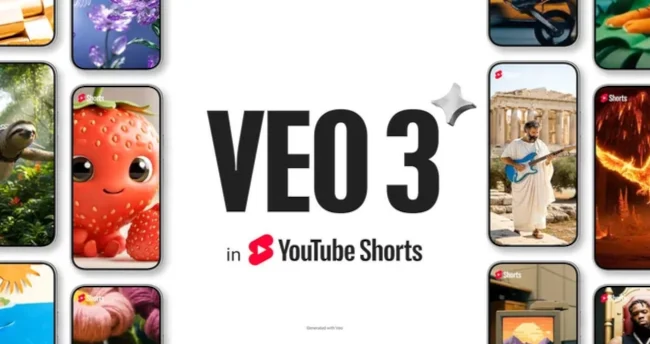
Short-form videos are evolving very quickly. After TikTok, Instagram Reels and CapCut, it’s now YouTube Shorts’ turn to integrate more and more AI tools. With models like Veo 3, creators can generate clips, animate ideas, create vertical videos, add sounds and produce content faster. …
TikTok, Instagram, or YouTube account deleted: how to back up your videos before you lose everything?

For many creators, entrepreneurs, influencers, organizations, artists, or everyday users, social networks have become true personal archives. People post travel videos, family memories, Reels, TikTok, Shorts, tutorials, live streams, key moments, professional content, product tests, customer testimonials, or […]
Download the transcription of a YouTube video: why AI subtitles and summaries are exploding in 2026

Video has become the dominant format on the Internet, but in 2026 a new habit is taking hold among users: not just watching videos, but extracting the text from them. Students, content creators, journalists, trainers, entrepreneurs, freelancers and curious individuals are increasingly looking to download a transcription of a YouTube video, ...
YouTube Shorts with Veo 3: how to create, save and download an AI video as MP4?

YouTube Shorts continues to change how creators produce short videos. After vertical formats, remixes, automatic captions, 3-minute Shorts and mobile editing tools, a new development is drawing a lot of attention: the arrival of Veo 3 in YouTube Shorts. With this technology, YouTube allows the generation of …
YouTube Auto-Dubbing: how to save a translated video as MP4 with the correct audio track?
YouTube is entering a new phase of online video: content automatically dubbed by artificial intelligence. For a long time, watching a video in another language meant reading subtitles, looking for a translated version, or waiting for a creator to publish a separate version. Today, YouTube is heavily pushing AI automatic dubbing, …
YouTube Shorts on TV: why does the vertical video show up on the big screen?

For a long time, vertical videos were associated only with smartphones. TikTok, Instagram Reels, YouTube Shorts, Facebook Reels and Snapchat established the 9:16 format as the mobile-native orientation. You hold your phone vertically, scroll videos with your thumb, watch for a few seconds, then move on to the next. …